 TEQENG
The short answer
- Pay once for one PC: Office 2024 is the newest, supported until 2029.
- More than one device (PC, phone, tablet): Office 365, with continuous updates.
- Tighter budget or an older PC: Office 2019 still works, but its security updates have ended.
Comparison
| Office 2019 | Office 2021 | Office 2024 | Office 365 | |
|---|---|---|---|---|
| Purchase | One-time | One-time | One-time | Subscription or account |
| End of security updates | Oct 14, 2025 (ended) | Oct 13, 2026 (ended) | Oct 9, 2029 | Ongoing |
| Devices | One PC | One PC | One PC | Several devices |
| New features | No | No | No | Yes, as released |
| Platforms | Windows 10 and 11 | Windows 10 and 11 | Windows 10 and 11 | Windows, phone and Mac |
End of support does not stop the app. Office 2019 still opens and works; it just no longer receives security fixes from Microsoft.
Office 2021 or 2024?
- Support: Office 2021 security updates ended in October 2026; Office 2024 is supported until October 2029. For a new PC that settles it.
- Excel: 2021 brought XLOOKUP, LET and dynamic arrays; 2024 adds text functions such as TEXTSPLIT and TEXTBEFORE plus IMAGE, which places a picture inside a cell.
- Apps: Office 2024 Pro Plus does not include Publisher, which Microsoft is retiring.
- Files: same formats (docx, xlsx, pptx), so files open between both.
Office 2024 or 365?
Pay once for one PC, or an account that runs on several devices and gets new features as they ship? Office 2024 suits one laptop and no renewals; Office 365 suits moving between PC, phone and tablet. Details in the Office 365 account guide.
How to check your Office version
- Open Word or Excel. Any Office app works.
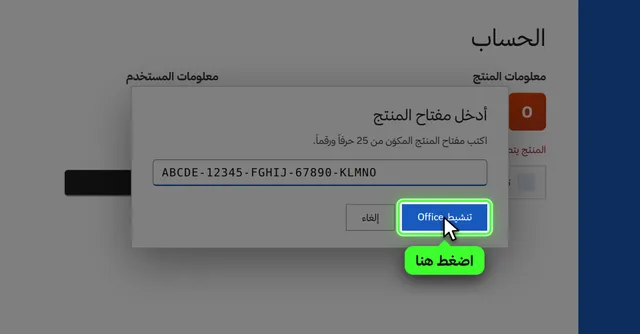
- File → Account. Under Product Information you will see the edition, such as Office Professional Plus 2019.
- Click About Word. It shows the exact build if support asks for it.
What do "Professional Plus" and "LTSC" mean?
Professional Plus is the full Office suite: Word, Excel, PowerPoint and Outlook, plus Access for databases (and Publisher in older versions). Home & Student editions include only the core apps. If you need Outlook for email or Access for databases, Professional Plus is the edition that has them.
LTSC stands for Long-Term Servicing Channel: a fixed version whose interface does not change every month and which receives only security updates until its end of support. That is the main difference between Office 2024 LTSC and Office 365, which keeps changing and gaining features.
Before you buy: three checks
- Your operating system: Office 2021 and 2024 need Windows 10 or 11. On Windows 7 or 8 the new versions will not install.
- Disk space: Office needs about 4 GB of free space, and installation is online, so stay connected.
- Existing Office: if an older Office or a trial that came with the PC is installed, remove it first so activation does not conflict.
Which one for which user?
- Student or employee on one laptop: Office 2024. Pay once and forget about it for years.
- Working across phone and PC: Office 365, since the account signs in on several devices.
- Old PC or light use (opening files and printing): Office 2019 is enough, knowing its security updates have ended.
- A business with several PCs: one Office 2024 key per PC, or a 365 account per employee.


Common questions
Can I install Office 2024 if I have an older Office?
Uninstall the old version from Settings → Apps first, then install the new one. Your files are not deleted.
Does Office 2024 need a monthly subscription?
No. It is a one-time purchase for one PC. Setup steps are in installing and activating Office 2024.
Do Office 2019 files open in 2024?
Yes. The formats are the same (docx, xlsx, pptx).
What is the difference between Office 2021 and 2024?
Both are one-time purchases for one PC. 2024 is newer and supported three years longer (until 2029 instead of 2026).
Can I move Office to another PC?
An Office 2019 or 2024 key activates on one PC; moving to a new PC usually needs a new activation, depending on the license type. With an Office 365 account you simply sign out on the old device and sign in on the new one.